 itsmattkc
1b2c4fa86c
itsmattkc
1b2c4fa86c
- Port vanilla-pipe on Android for users with rooted devices and compatible Wi-Fi hardware
- Drop OpenSSL as a build dependency (only used for hostap's crypto backend, but didn't work on Android so now we're using hostap's internal crypto)
- Improvements to event loop (targets 180Hz input polling + 60Hz video display)
- Implement MediaCodec hardware decoding on Android
- Use smaller and simpler DHCP client
5.2 KiB
Vanilla
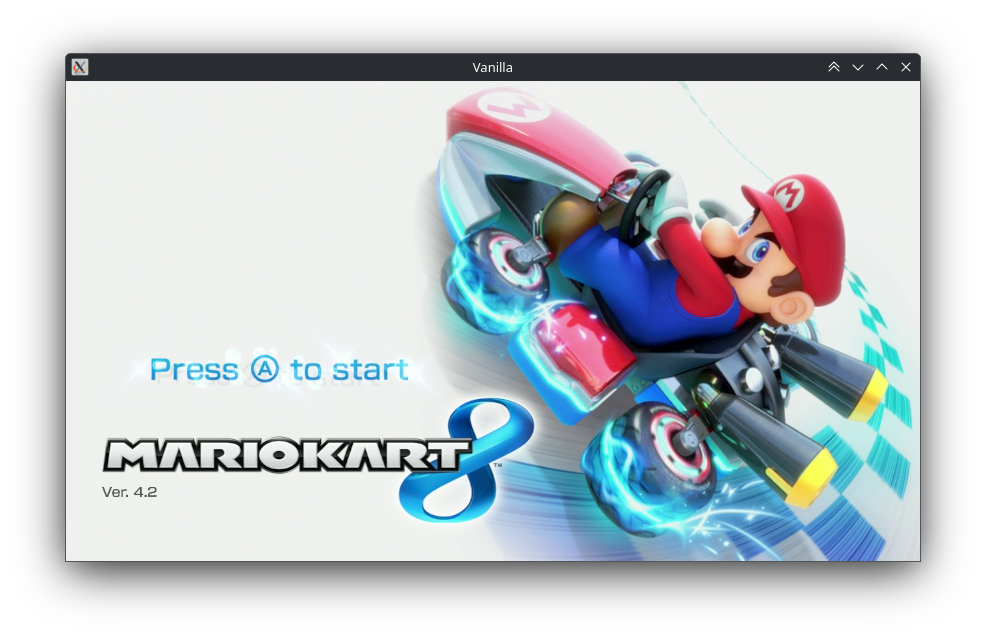
This is a work-in-progress software clone of the Wii U gamepad. No warranty is provided and everything should be considered alpha at best.
Usage/Installing
Official builds are provided for all supported platforms on the Releases page. Most users are recommended to use these.
Distro-specific packages
Vanilla is also available in the package managers of certain Linux distributions.
Arch (AUR)
An Arch User Repository (AUR) package called vanilla-wiiu-git is available for easy installation on Arch Linux and derivatives. For more information, see the AUR page: https://aur.archlinux.org/packages/vanilla-wiiu-git
What devices are supported?
- Nintendo Switch
- Steam Deck
- Linux (check Wi-Fi hardware compatibility)
- Android
- Windows (currently frontend only)
- Raspberry Pi (requires external Wi-Fi adapter)
- Orange Pi (requires external Wi-Fi adapter)
- iOS - Coming soon
What Wi-Fi adapter should I use?
At a minimum, you will need an adapter that supports 802.11n 5GHz. Newer standards (e.g. 802.11ac) are backwards compatible and should work as long as they can run at 5GHz.
In practice, not all hardware/drivers appear to work at this time. Check the Wireless Compatibility page on the wiki to check if a card is confirmed working or not.
Keyboard Mapping
Special Functions
Extra Vanilla functionality can be accessed through these keyboard shortcuts. On platforms like the Steam Deck, these can be mapped to the back grip buttons.
| Function | Key |
|---|---|
| Start/Stop Recording | F5 |
| Toggle Fullscreen | F11 |
| Take Screenshot | F12 |
| Disconnect | Esc |
Gameplay
While a controller/gamepad is strongly recommended for the best experience, it is possible to use the keyboard as a fallback. This is the default keyboard mapping, but the keys are remappable in the settings:
| Gamepad Button | Key |
|---|---|
| A | Z |
| B | X |
| X | C |
| Y | V |
| Plus (+) | Enter/Return |
| Minus (-) | Left Ctrl |
| Home | H |
| TV | Y |
| Left Stick Up | W |
| Left Stick Left | S |
| Left Stick Down | A |
| Left Stick Right | D |
| Left Stick Click | E |
| D-Pad Up | Up Arrow |
| D-Pad Left | Left Arrow |
| D-Pad Down | Down Arrow |
| D-Pad Right | Right Arrow |
| Right Stick Up | Keypad 8 |
| Right Stick Left | Keypad 4 |
| Right Stick Down | Keypad 2 |
| Right Stick Right | Keypad 6 |
| Right Stick Click | Keypad 5 |
| L | T |
| ZL | G |
| R | U |
| ZR | J |
Compiling (Linux)
Vanilla currently requires the following dependencies:
- Debian/Ubuntu
apt install build-essential cmake libsdl2-dev libsdl2-image-dev libsdl2-ttf-dev libavformat-dev libavcodec-dev libavutil-dev libswscale-dev libnl-genl-3-dev libnl-route-3-dev libxml2-dev libnm-dev libpolkit-agent-1-dev - Fedora
dnf install libavcodec-free-devel libavutil-free-devel libavfilter-free-devel libnl3-devel SDL2-devel SDL2_image-devel SDL2_ttf-devel make automake gcc gcc-c++ kernel-devel cmake libxml2-devel NetworkManager-libnm-devel polkit-devel - Arch
pacman -S base-devel make cmake ffmpeg libnl sdl2 sdl2_image sdl2_ttf libxml2 libnm polkit - Alpine/postmarketOS
apk add build-base cmake sdl2-dev sdl2_image-dev sdl2_ttf-dev ffmpeg-dev libnl3-dev libxml2-dev networkmanager-dev polkit-dev
The build process is otherwise normal for a CMake program:
git clone https://github.com/vanilla-wiiu/vanilla.git
cd vanilla
mkdir build && cd build
cmake ..
cmake --build . --parallel
Optionally, to install the program:
sudo cmake --install .