

 d5db22c23e
* Fixed world purges leaving orphaned entity data

co_entity has no world column, so /co purge r:#world deleted the kill
rows in co_block but kept every co_entity row. Those blobs became
orphans that no later purge removed.

- SQLite: copy only the co_entity rows that a retained kill row still
  references. This also drops orphans left by earlier purges.
- MySQL/DuckDB: delete the co_entity rows of the kill rows a world purge
  removes, before co_block is purged. MySQL uses a join so MariaDB and
  MySQL 5.7 do not run a dependent subquery. Global purges keep the
  cheaper time-based delete, which is equivalent. If MySQL stops between
  the two deletes, running the same purge again removes the remaining
  kill rows.

Player kills use the kill action with type 0 and a user id in data, so
they are never treated as co_entity references.

Co-Authored-By: Claude Opus 5.5 <noreply@anthropic.com>
Claude-Session: https://claude.ai/code/session_01PdEuKbjcVoVinVQJq4te1f

* Fixed SQLite purges with world and block filters purging other tables

On SQLite, /co purge r:#world i:<block> built the retain condition for
world-scoped tables without checking the block restriction, so it purged
co_container, co_chat and the other world-scoped tables in that world
although a block restriction should leave them untouched. The
entity_container/entity_interaction branch and the MySQL path already
check it.

Co-Authored-By: Claude Opus 5.5 <noreply@anthropic.com>
Claude-Session: https://claude.ai/code/session_01PdEuKbjcVoVinVQJq4te1f

* Fixed console purges with a radius purging all worlds

/co purge rejects a numeric radius, but the check only saw the radius
when the sender had a location. From the console, /co purge t:30d r:50
parsed no radius and no world, so it ran as a server-wide purge. The
radius is now also parsed against a placeholder location, so it is
rejected for every sender. r:#world is unaffected.

Co-Authored-By: Claude Opus 5.5 <noreply@anthropic.com>
Claude-Session: https://claude.ai/code/session_01PdEuKbjcVoVinVQJq4te1f

* Added orphaned entity data cleanup to MySQL #optimize purges

MySQL deletes in place, so co_entity rows orphaned by earlier world
purges stay until something removes them. With #optimize, delete every
co_entity row that no kill row references, through a temporary table of
referenced ids (avoids an anti-join on the unindexed co_block.data), then
let OPTIMIZE reclaim the space. Failures are reported like the table
loop, so the entity_spawn link cleanup still runs.

Co-Authored-By: Claude Opus 5.5 <noreply@anthropic.com>
Claude-Session: https://claude.ai/code/session_01PdEuKbjcVoVinVQJq4te1f

* Moved purge conditions into PurgeFilter

PurgeFilter now builds the purge condition for every table, and the
SQLite copy, the SQLite recovery path and the MySQL/DuckDB delete all use
it instead of three hand-built copies. Behavior is unchanged; the block
restriction check that the previous commit added to the SQLite copy is
part of the shared condition.

Co-Authored-By: Claude Opus 5.5 <noreply@anthropic.com>
Claude-Session: https://claude.ai/code/session_01PdEuKbjcVoVinVQJq4te1f

* Added entity kill filters to purge command

/co purge rejected entity types and actions, so mob farm kill logs could
only be removed together with all other data. New arguments on SQLite,
MySQL and DuckDB:

- a:kill purges only entity kill rows.
- i:<entity> purges kills of those entity types; it can be combined with
  block types.
- e:<entity> keeps kills of those entity types while purging the rest.

Each purged kill also removes its co_entity row. a:kill with block types,
entity types in both i: and e:, e: with only block types in i:,
non-entity exclusions and entity filters on ClickHouse are rejected. Any
a: value other than a kill alias is rejected instead of falling through
to an unrestricted purge.

Co-Authored-By: Claude Opus 5.5 <noreply@anthropic.com>
Claude-Session: https://claude.ai/code/session_01PdEuKbjcVoVinVQJq4te1f

* Added radius support to purge command

/co purge rejected any numeric radius, so kills of one entity type could
only be purged across a whole world. A radius is now accepted when the
purge is restricted to co_block rows with i: or a:kill, for example
/co purge t:30d r:50 i:zombie. r:50x10 also limits the height.

The radius becomes an x/y/z range in the co_block condition. co_entity
rows follow the purged kill rows, so no entity data is orphaned, and the
(wid,x,z,time) index already covers the range. Other tables are left
untouched, as with any restricted purge.

Rejected: a radius without i: or a:kill, WorldEdit selections, radius
purges on ClickHouse, and a numeric radius from the console (it has no
location, as in the console radius fix merged into this branch).

Co-Authored-By: Claude Opus 5.5 <noreply@anthropic.com>
Claude-Session: https://claude.ai/code/session_01PdEuKbjcVoVinVQJq4te1f

* Made MySQL entity data purges safe against concurrent writers

The #optimize orphan sweep snapshots the co_entity ids that kill rows
reference, then deletes every row missing from the snapshot. Another
installation sharing the database could commit a kill between the two
statements and lose its entity data. The sweep now only deletes rows
inside the purge time range. A kill always writes its co_entity row with
the current time, and a purge range ends at least 24 hours ago, so a
concurrent kill never matches.

A world purge deletes the entity data of the purged kills and
then the kill rows. On MySQL a failure or cancellation between the two
left kept kill rows without their rollback data. Both deletes now run in
one transaction.

Co-Authored-By: Claude Opus 5.5 <noreply@anthropic.com>

* Limited SQLite entity data cleanup to the purge time range

A SQLite purge dropped every co_entity row no kill referenced, including
rows newer than the purge range, and counted them as deleted. It now only
removes unreferenced rows inside the range, like the MySQL #optimize sweep.

Co-Authored-By: Claude Opus 5.5 <noreply@anthropic.com>

* Rejected purge include and exclude lists without a value

/co purge t:30d e: passed validation, parsed to no exclusions, and ran
as an unrestricted time purge. e:, and e:,,, did the same, as did an
e: at the end of the command and an empty i:. The argument check now
follows each include or exclude list across its continuation tokens and
rejects a list that ends without a value. Space-separated lists such as
e:zombie, villager still work.

Co-Authored-By: Claude Opus 5.5 <noreply@anthropic.com>

* Matched purge entity filters to kills logged under renamed types

Bukkit resolves a legacy name such as zombie_pigman to the renamed type,
so the filter only matched the id of the new name. e:zombie_pigman then
purged the old kills it was meant to keep, and i:zombie_pigman missed
them. The filter now covers every entity map id that resolves to the type.

Co-Authored-By: Claude Opus 5.5 <noreply@anthropic.com>

* Rejected purges with more than one radius argument

/co purge t:30d r:50 r:#world_nether i:zombie ignored the explicit world
and purged around the player in their current world. Two r: arguments
always conflict, so the second one is now rejected before the purge
starts, whether it is a world, #global or another radius.

Co-Authored-By: Claude Opus 5.5 <noreply@anthropic.com>

* Applied max-radius to radius purges

A radius purge accepted any value. A radius past the int range saturated,
the area overflowed, and the purge reported success with nothing deleted.
It now stops at max-radius like lookups and rollbacks.

Co-Authored-By: Claude Opus 5.5 <noreply@anthropic.com>

* Checked radius arguments inside purge include and exclude lists

/co purge t:30d i:zombie, r:50 r:#world_nether passed the second-radius
check: the validator took r:50 as a value of the include list, then saw
r:#world_nether as the only radius. The radius and world parsers read
both. A list now continues only with plain or minecraft: namespaced
values, so a radius after a trailing comma is counted and the second one
is rejected. This is the same change as 39deec3 on entity-kill-purge-filters.

Co-Authored-By: Claude Opus 5.5 <noreply@anthropic.com>
Claude-Session: https://claude.ai/code/session_01LFQuzYmYun57wJi2a5mqkM

---------

Co-authored-by: Claude <noreply@anthropic.com>
Co-authored-by: TonyJamesStark <tonyjamesstark1@gmail.com>





CoreProtect
CoreProtect is a fast, efficient data logging and anti-griefing tool. Inspect, lookup, rollback, and restore any amount of damage without impacting your server performance.
CoreProtect is the #1 anti-griefing plugin, and has been actively developed since early 2012.
| Quick Links | |
|---|---|
| CoreProtect Discord: | discord.gg/b4DZ4jy |
| CoreProtect Patreon: | patreon.com/coreprotect |
| CoreProtect Documentation: | docs.coreprotect.net |
| Downloads for MC 1.14 - 26.2: | coreprotect.net/latest |
| Downloads for MC 1.8 - 1.12: | coreprotect.net/legacy |
| Downloads for Fabric: | coreprotect.net/fabric |
| Downloads for Hytale: | coreprotect.net/hytale |
API
API Documentation
Dependency Information
Maven:
<repository>
    <id>playpro-repo</id>
    <url>https://maven.playpro.com</url>
</repository>
<dependency>
    <groupId>net.coreprotect</groupId>
    <artifactId>coreprotect</artifactId>
    <version>24.1</version>
    <scope>provided</scope>
</dependency>
Donation Keys
To support the project and obtain a donation key, visit coreprotect.net/donate.
Other Plugins
- DarkerNights: spigotmc.org/resources/darkernights.87814
- TransitTubes: patreon.com/posts/75731668
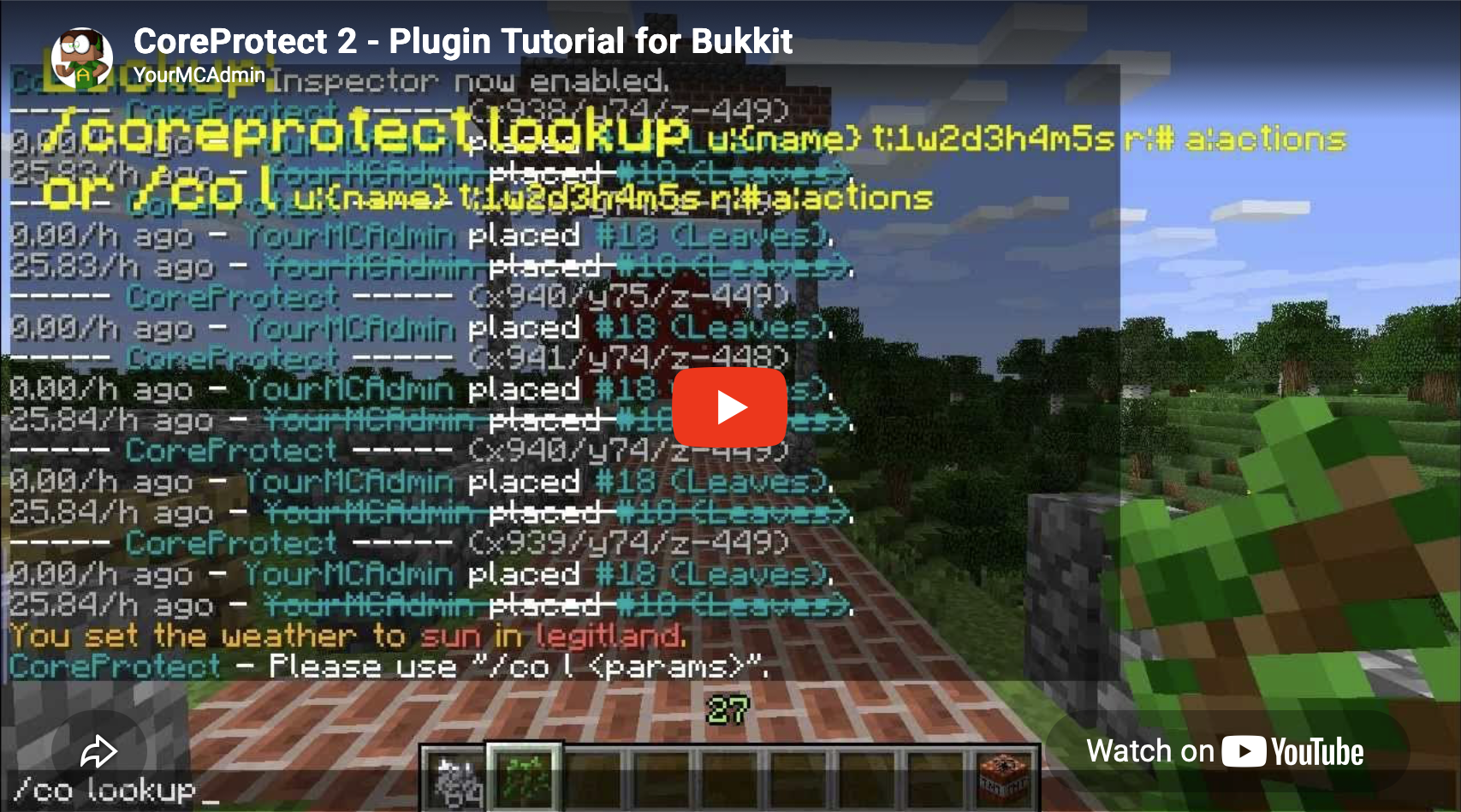
Video Tutorial
Core Features
- Fast, efficient data logging.
- Rollbacks and restores with lag-free processing.
- Multi-threaded to ensure server performance is never impacted.
- No configuration required. Install the plugin, and you're good to go.
- Embedded DuckDB columnar storage by default, with optional ClickHouse, SQLite, and MySQL support.
- Supports Bukkit, Spigot, Paper, Folia, MultiPaper, and more.
- Permission system support and advanced lookup permissions.
- Easy-to-use commands and inspector.
- Advanced lookup filters and operation limits by radius, world, or WorldEdit selection.
- Paginated results with clickable pagination.
- Preview rollbacks and restores, and undo rollbacks by restoring the same data.
- Rollback or restore specific users, multiple users, or global activity.
- Inventory rollback support.
- Purge old data by time, world, and block type.
- Multi-world support.
- Configurable global and per-world logging settings.
- Safe default parameters.
- Include or exclude specific blocks, items, entities, or users, plus logging blacklists.
- WorldEdit and supported FAWE logging.
- Enhanced item lookup tooltips.
- Localization and translation support.
- Automatic update checking and error reporting.
- Developer and networking API support.
- ...and much more!
What does it log?
Blocks and World Changes
- Blocks placed or broken by players.
- Natural block breakage, such as attached blocks breaking when their support is removed.
- Block movement, including falling sand, gravel, and piston movement.
- Water and lava placement, removal, and flow.
- Liquid tracking, associating flowing liquids with the player who placed the source.
- Fire ignition from flint and steel or fire charges, block burning, and fire fade.
- Optional natural fire extinguishing.
- TNT, Creeper, Ghast, and other explosions, plus primed TNT removal.
- Entities changing blocks, including Endermen, Ender Dragons, and zombies breaking doors.
- Leaf decay.
- Tree growth linked back to the player who planted the sapling.
- Mushroom, vine, amethyst, chorus, and bamboo growth.
- Sculk spread from sculk catalysts.
- Nether portal and other natural portal generation.
- Crops trampled by players and turtle eggs trampled by players or entities.
- Snow generated by snow golems.
- Liquid-formed blocks such as obsidian, cobblestone, and concrete.
- Flowers placed in flower pots.
- Dragon egg teleportation.
- Suspicious sand and gravel brushing or destruction.
- Custom blocks, such as CraftEngine blocks.
Containers, Inventories, and Items
- Items taken from or placed into vanilla or supported third-party containers.
- Hopper, dropper, and dispenser transactions, including container transfers.
- Player inventory transactions, including items dropped, thrown, shot, or picked up.
- Items broken, created, destroyed, deposited, or withdrawn by players.
- Items placed on campfires and lectern book transactions.
- Chiseled bookshelf, decorated pot, and shelf inventory transactions.
- Copper Golem chest and jukebox transactions, plus crafter slot changes.
- Bundle actions through the
#bundletag. - Items crafted or traded with villagers.
- Allay item exchanges.
- Paintings and item frames.
Entities and Player Activity
- Entity deaths and detailed death reasons.
- Player-caused entity kills, including animals and monsters.
- Armor stands and End Crystals.
- Villagers killed by lightning, gossip data, and job-site memories.
- Thrown eggs, snowballs, potions, ender pearls, tridents, and wind charges.
- Player interactions with doors, buttons, levers, containers, bookshelves, and jukeboxes.
- Sign text, color, glow, wax, and modern double-sided signs.
- Player chat messages and commands.
- Player sessions including logins and logouts, player deaths, and username changes.
- Skull skin texture data on Paper servers and custom skull textures.
- WorldEdit changes and supported FAWE clipboard pastes.
- ...and more!
How to use the inspector
Once you have the inspector enabled with /core inspect or /co i, you can do the following:
- Left-click a block to see who placed that block.
- Right-click a block to see what adjacent block was removed.
- Right-click while placing a block in a location to see what block was removed at that location.
- Right-click while placing a block in another block to see who placed it. For example, place dirt in water to see who placed the water.
- Right-click a door, button, lever, container, or similar block to see who last used it.
A Few Reviews
- "It's easy to use and lightning fast when it comes to rollbacks."
- "I've been running a MC server since before Bukkit, so I've used just about every block logger out there. CoreProtect is the best and the fastest."
- "Go with CoreProtect. It's fast, updated frequently, and logs WorldEdit."
- "Overall it felt more natural, simpler, and much faster to use CoreProtect than Prism, which just doesn't compare."
- "CoreProtect brings complex logging and rollbacks, whilst at the same time keeping a low profile."
- Featured on Linus Tech Tips.

Useful Links
Documentation
https://docs.coreprotect.net
Commands
https://docs.coreprotect.net/commands/
Permissions
https://docs.coreprotect.net/permissions/
API Documentation
https://docs.coreprotect.net/api/
Feedback & Support
https://github.com/PlayPro/CoreProtect/issues
Discord
Join us on Discord: https://discord.gg/b4DZ4jy
Donate
Enjoy using CoreProtect and want to show your support? Join our Patreon!
Sponsors
Thanks to HostHorde for sponsoring CoreProtect!
Bug Reports
For any bug reports, please submit a ticket here:
https://github.com/PlayPro/CoreProtect/issues
Thanks for your support!
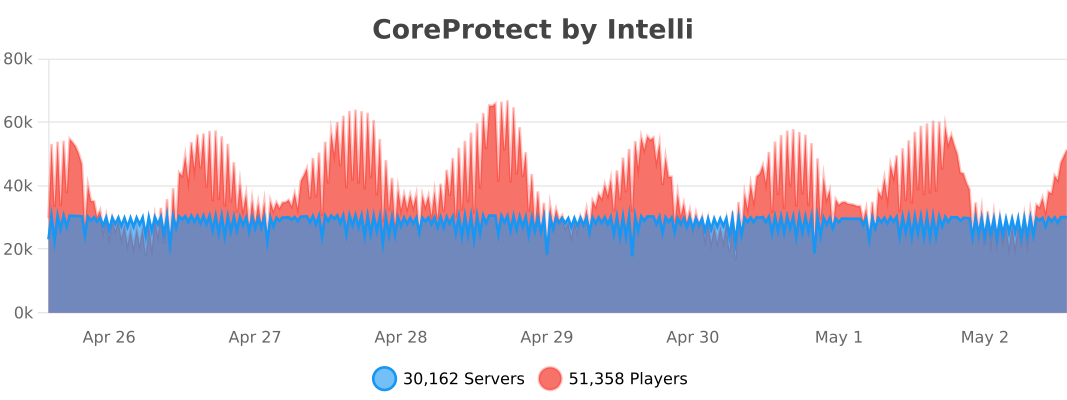
bStats
Contributing
CoreProtect is an open source project, and gladly accepts community contributions.
If you'd like to contribute, please read our contributing guidelines here: CONTRIBUTING.md
